
Adobe Ilustrator | Fashion Drawing
Learn how to use Adobe Illustrator to create clear, professional technical drawings and garment images for use in tech packs and manufacturer communication. This workshop introduces the essential tools and techniques needed to accurately explain your designs, proportions and construction details. Open to all skill levels, it’s particularly valuable for designers and students looking to strengthen their digital presentation and industry-ready documentation skills.
What You’ll Learn
Learn how to use Adobe Illustrator to create Tech Pack drawings and documents required for you to explain your garment to a manufacturer including including front and back views and fitting measurements.
References will be provided for students to continue to develop their skills after the workshop.Suitable for all skill levels
What to Expect
This is a small, hands-on class ensuring plenty of one-on-one time with the instructor and personalised support for your machine.
Classes & Costs
Cost: $419
Format: 12-hour workshop, 9:30am – 4:00pm (30-minute lunch break)
2027 Dates Coming Soon!
Not quite ready to book?
Join our community for free video tutorials, couture sewing tips, course guide and early booking access.
Adobe Illustrator | Course Summary
Technical Pack requirements
Use of proportioned templates and the professional rules and expectations to communicate garment design to pattern markers and machinists.
Use of Artboards, tools, layers and basic shapes
Use of the pen tool to create a T-shirt flat
Use of reflect, align object, pathfinder and brush stroke tools to create a business shirt flat
Use of guidelines and stroke profiles to create a flared skirt flat
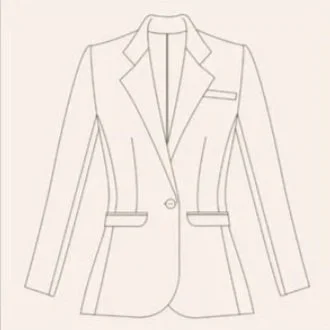
Use of layers to create a jacket flat
Creating custom brushes, symbols and patterns.